
I'm in the lucky position that our team is very productive and we've built a lot of amazing tools on NPM that developers for the most part love to use.
The manager in me likes to quickly get a picture of how the web is doing, and how the work that our team does is going, so I end up building a lot of dashboards. One area that was a frustration was that I would have to go through each of our teams NPM modules by hand and see how they are doing... Why isn't there an API for getting the stats?
It turns out there is, it's just well hidden. It's documented and can be quickly queried with a HTTP GET request like so https://api.npmjs.org/downloads/range/last-month/workbox-core, you can also change last-month to last-year
To scratch my stats itch (a stitch, if you please). I built a small Google Sheets function that will query the NPM download stats API.
You can see it here, and you can make your own copy of the Sheet to build your own dashboard.
The Sheet let's you: add your modules in, query scoped modules, view the results as a table for the entire year (rolling 365 days), view it as a simple column which lets you build charts like below.
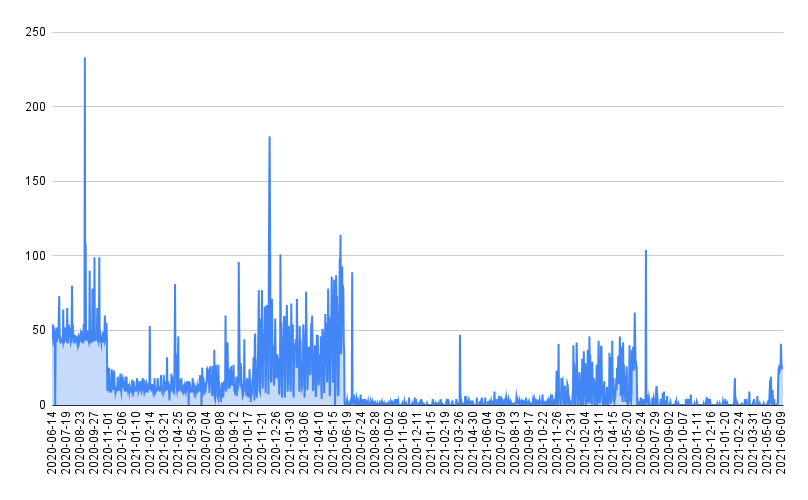
If you like it, let me know.
Source
If you are curious, the code is below:
function bactchNPMPackages(modules) {
  if (modules == undefined) modules = ["workbox-core", "preact", "bartasdad", "@squoosh/lib", "@workbox/core"]

  let requests = [[]];
  for (let module of modules) {
    if (module.startsWith("@") == false) {
      // we can batch up non-scoped packages.
      requests[0].push(module);
    }
    else {
      // Create a single request for each scoped package
      requests.push([module])
    }
  }
  return requests;
}

function queryNPM(packageList) {
  const url = `https://api.npmjs.org/downloads/range/last-year/${packageList.join(",")}`;
  const response = UrlFetchApp.fetch(url);

  return JSON.parse(response.getContentText());
}

function GetNPMModuleDataAsTable(modules) {
  if (modules == undefined) modules = ["workbox-core", "preact", "bartasdad"]
  let moduleList = (Array.isArray(modules) ? modules : [modules]).flat().filter(m => m != "");

  let modulesToFetch = bactchNPMPackages(moduleList);

  const output = [];
  const dates = new Map();
  for (let packages of modulesToFetch) {
    if (packages.length > 128) packages.length = 128;

    // If there is a scoped package, need to do a single query for it.
    const responseJSON = queryNPM(packages);

    if (packages.length == 1) {
      // The result is not a batch.
      output.push(
        [packages[0], ...responseJSON.downloads.map(day => {
          dates.set(day.day, 1);
          return day.downloads;
        })]);
    }
    else {
      const keys = Object.keys(responseJSON);

      output.push(...keys.map(key => {
        if (key in responseJSON == false) {
          return [key];
        }

        if (responseJSON[key] === null) {
          return [key];
        }

        return [key, ...(responseJSON[key] || [{ downloads: [] }]).downloads.map(day => {
          dates.set(day.day, 1);
          return day.downloads;
        })];
      }));
    }
  }

  output.unshift(["NPM Module", ...dates.keys()])

  return output;
}

function GetNPMModuleDataAsColumn(modules) {
  if (modules == undefined) modules = ["workbox-core", "preact", "bartasdad"]
  let moduleList = (Array.isArray(modules) ? modules : [modules]).flat().filter(m => m != "");

  let modulesToFetch = bactchNPMPackages(moduleList);
  const output = [];

  for (let packages of modulesToFetch) {
    // If there is a scoped package, need to do a single query for it.
    const responseJSON = queryNPM(packages);

    if (packages.length == 1) {
      for (let { day, downloads } of responseJSON.downloads) {
        output.push([packages[0], day, downloads]);
      }
      continue;
    }

    for (let [key, data] of Object.entries(responseJSON)) {
      for (let { day, downloads } of data.downloads) {
        output.push([key, day, downloads]);
      }
    }
  }

  output.unshift(["NPM Module", "Date", "Downloads"])

  return output;
}